https://www.xperience-group.com/news-item/how-to-keep-track-of-records-using-the-follow-functionality-in-dynamics-365/
One little known and little used function in Dynamics 365 CRM is the ability to “follow” records. It’s a great way to keep track of records without affecting the ownership of the record.
“Following” a record is very much like wanting to keep a note of a specific record. This is a great functionality to make use of when you have numerous records that you need to manage.
You can follow a record in CRM in one of two ways:
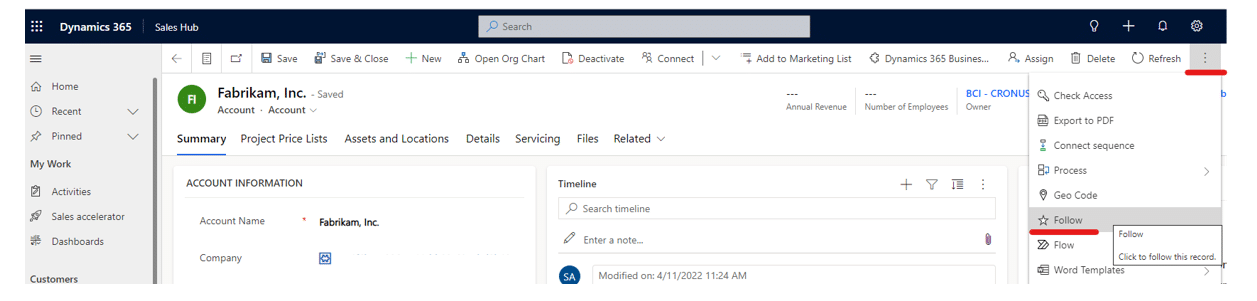
1. The first way is within the record itself – there should be an action button for “Follow”:
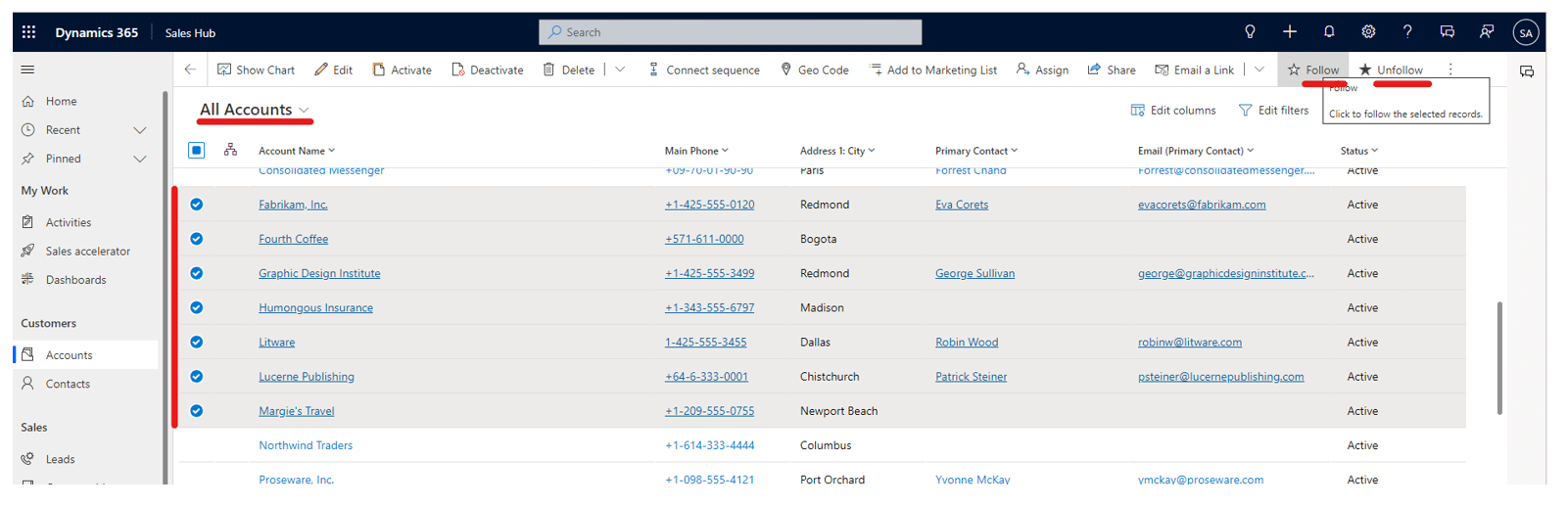
2. The second way is from a list/View of records, which allows you to follow more than one record. You’ll just need to select the records that are of interest from the View. Again there should be a button for “Follow” (and “Unfollow”):
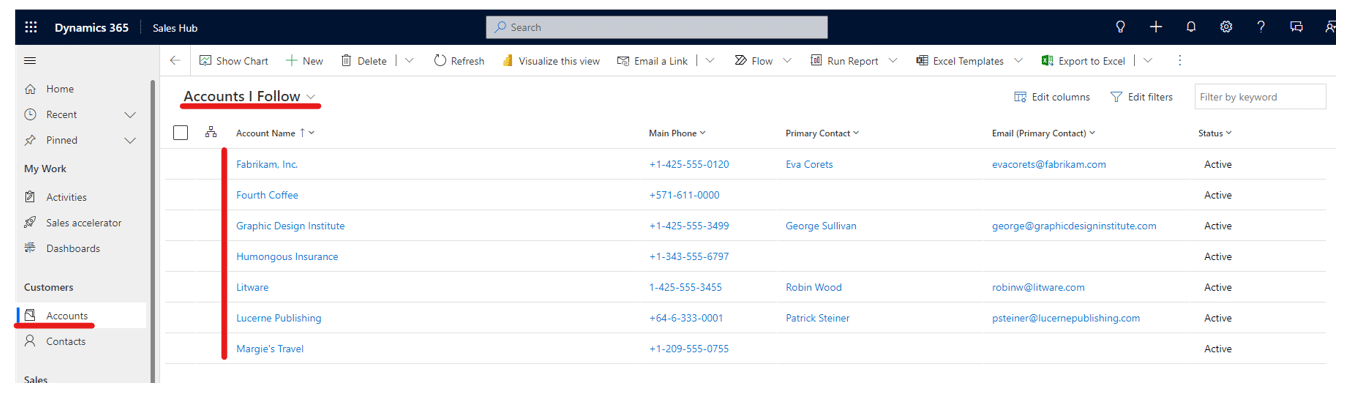
Once you have selected to follow a record, you can see all the records that you follow in the standard “Records I Follow” Views for the relevant record type:
As “Following” records has fallen out of vogue a bit, it’s possible your system administrator might have disabled the standard “Records I Follow” Views.
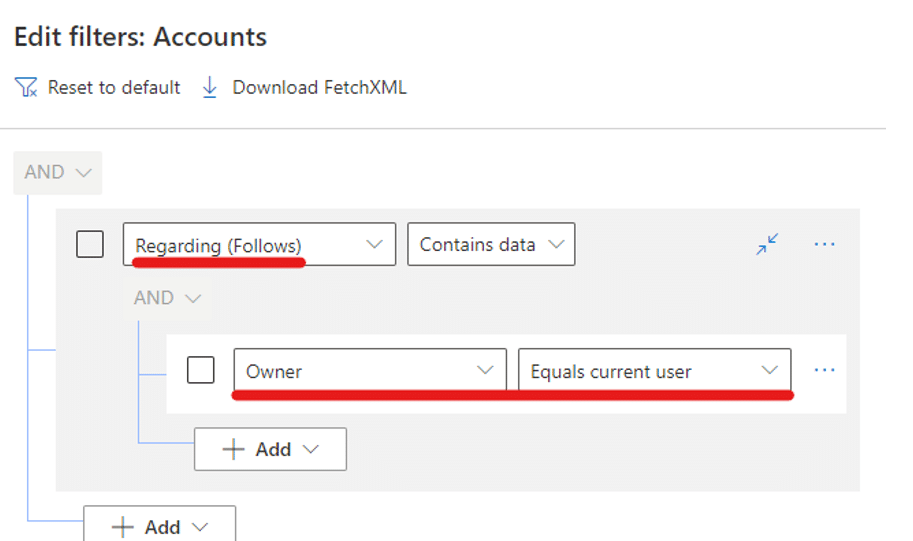
However, it’s straightforward to create Personal Views that replicate this functionality – just “Add a related Entity” to the filters on the Personal View and select “Follows (Regarding)”: