
https://www.xperience-group.com/news-item/sage-50-transaction-attachments/
This guide explains how to add attachments to supplier invoices and credits transactions.
If you have a document relating to a supplier invoice or credit, you can add them as attachments for easy, quick reference.
You can attach the following file types:
BMP, PNG, CSV, RTF, DOCX, TXT, DOCM, XLXS, DOC, XLSM, JPG, XLSB, JPEG, XLS, ODS, XLA, ODT, XML, PDF, XPS.
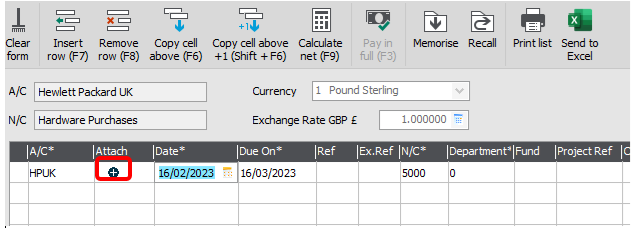
3. Depending on your access rights, you will be able to either drag and drop the attachments in to the Add New Attachment window, or click Browse to locate and attach the item.
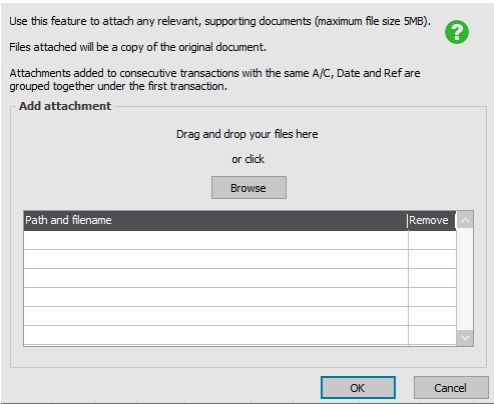
4. Once you’ve finished adding any attachments, click OK, then click Save.
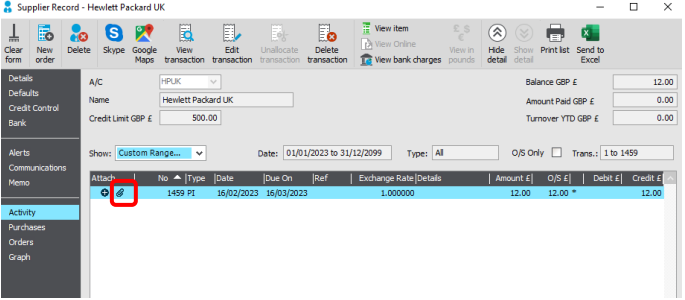
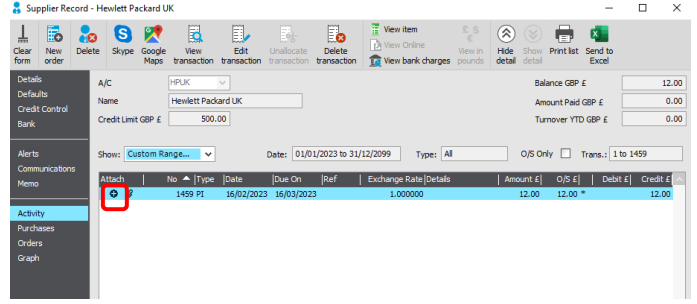
Any attachments are created as copies of the original document and are stored in the Transaction Attachments folder in the same location as the data for the relevant company.
If you’d like to talk to our product experts about Sage 50 Accounting, or would like to book a demonstration, you can find more information here.
While Sage 50 can get the job done, if you’re looking for a smarter, cloud-ready accounting solution with more flexibility and modern features, it might be time to explore what BC Switch can do for you!
Want to learn more?